

How To Hack Screen Time Ios 15
Screen Fourth dimension on iPhone places various restrictions on activities, which normally enables parents be able to prevent their kids from accessing sure websites, apps, and features on iPhone. However, the Screen Time feature sometimes would problem users, thus people would like to discover out methods for how to hack Screen Time on iPhone and become rid of it. In this case, keep reading and you lot volition acquire 7 means to bypass screen fourth dimension passcode on iPhone.
-
Part ane. Hack Screen Time Without the Passcode on iPhone via iDelock

-
Role 2. Hack Screen Time on iPhone past Changing the Time
-
Part 3. Uninstall and Reinstall Apps to Hack Screen Time Limits on Apps
-
Part 4. Picket YouTube on iMessage
-
Part five. Utilize Siri to Transport Messages
-
Function half dozen. Hack Screen Fourth dimension on iPhone by Recording Video
-
Part 7. Remove Screen Time by Factory Reset
Function 1. Hack Screen Time Without the Passcode on iPhone via iDelock
The WooTechy iDelock is an all-around iOS unlocker and decrypter that helps remove diverse locks with iDevices. Some of the issues it can handle include unlocking Apple ID, Screen Time passcode, screen passcode and MDM lock. With iDelock, you can bypass screen time passcode without password within minutes. Some of its outstanding features include

Great Features of iDelock
-
No affair the state of your phone (broken, disabled, locked), your phone can exist made usable again with WooTechy iDelock.
-
Unlock Screen Time passcode without losing information.
-
Unlock Apple ID, MDM and screen passcode on iPhone/iPad/iPod hands and fast.
-
Support all iPhone/iPad models and iOS/iPadOS versions, including the latest iOS/iPadOS 15.
 Download Now
  Download Now
To hack Screen Time on your iPhone using the WooTechy iDelock programme, the steps involved include
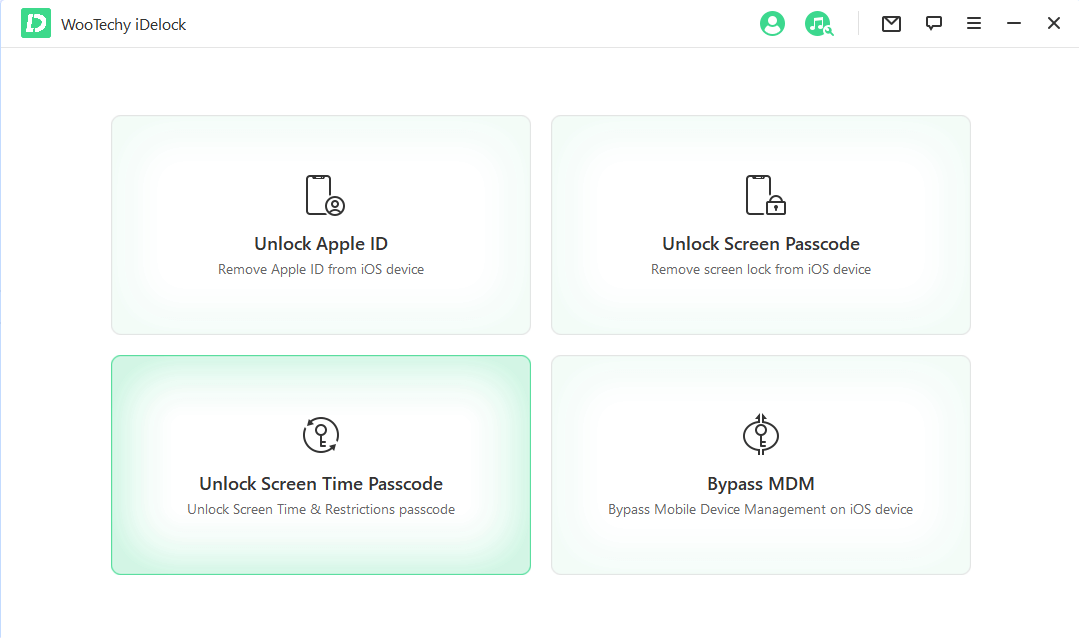
- First, launch WooTechy iDelock on your estimator and and so various modes will be displayed on the screen. Choose the Unlock Screen Fourth dimension Passcode way.
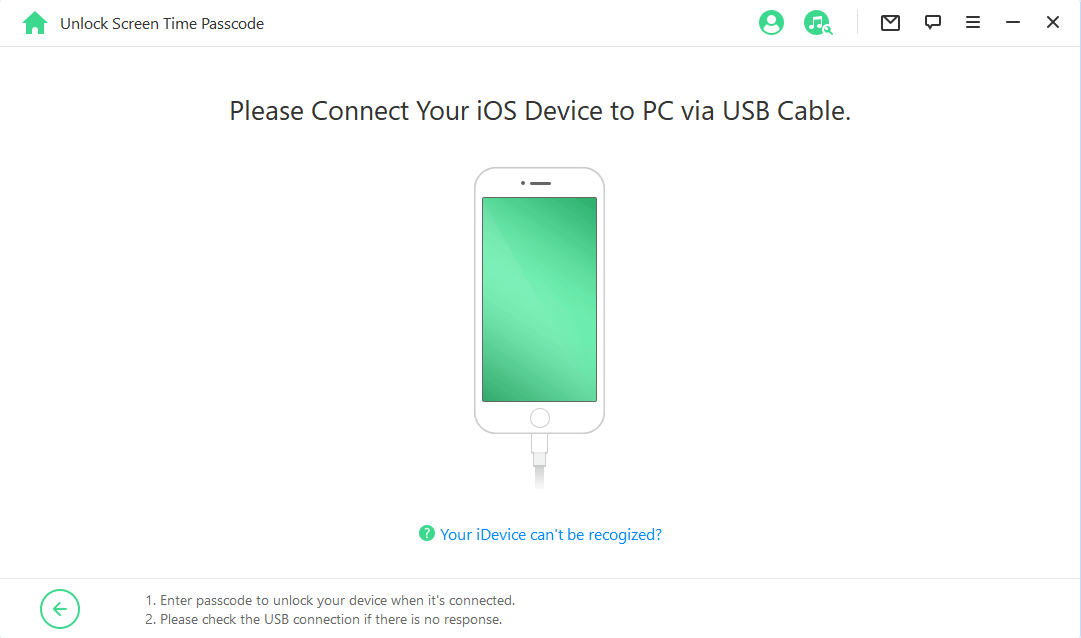
- Connect your device (iPod Touch/iPad/iPhone) to the computer using a USB cable. If you take connected your device and the connection is not detected, then click on Your iDevice can't be recognized to set the result.
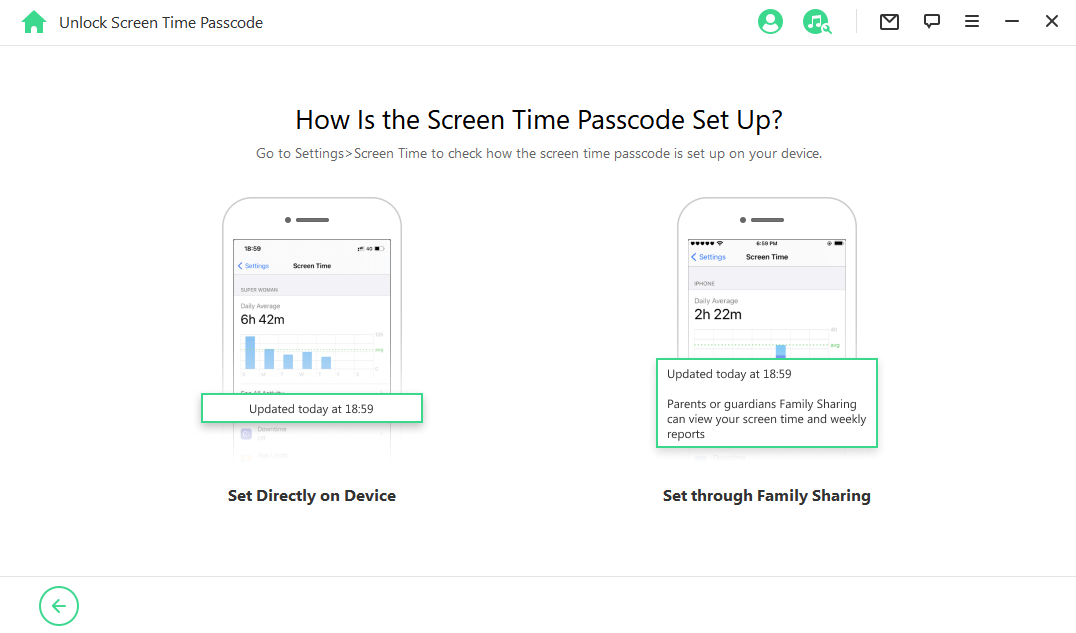
- Here you lot have 2 options to cull. If the Screen Fourth dimension is set from the Settings, and so you lot need to select the first fashion.
- Click Showtime and iDelock volition begin removing the Screen Fourth dimension passcode from your device.

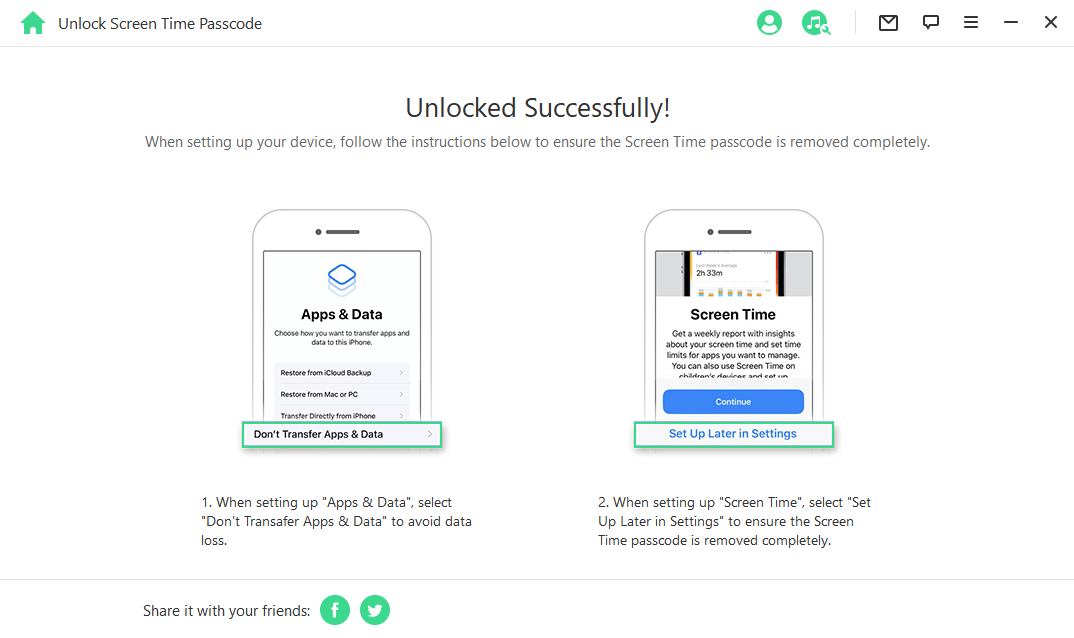
- After a few minutes, you can come across the successful message on the screen. Call up to follow the on-screen instructions to set upward your device.
- If the Screen Time is set from Family Sharing, then yous need to choose the 2d option.
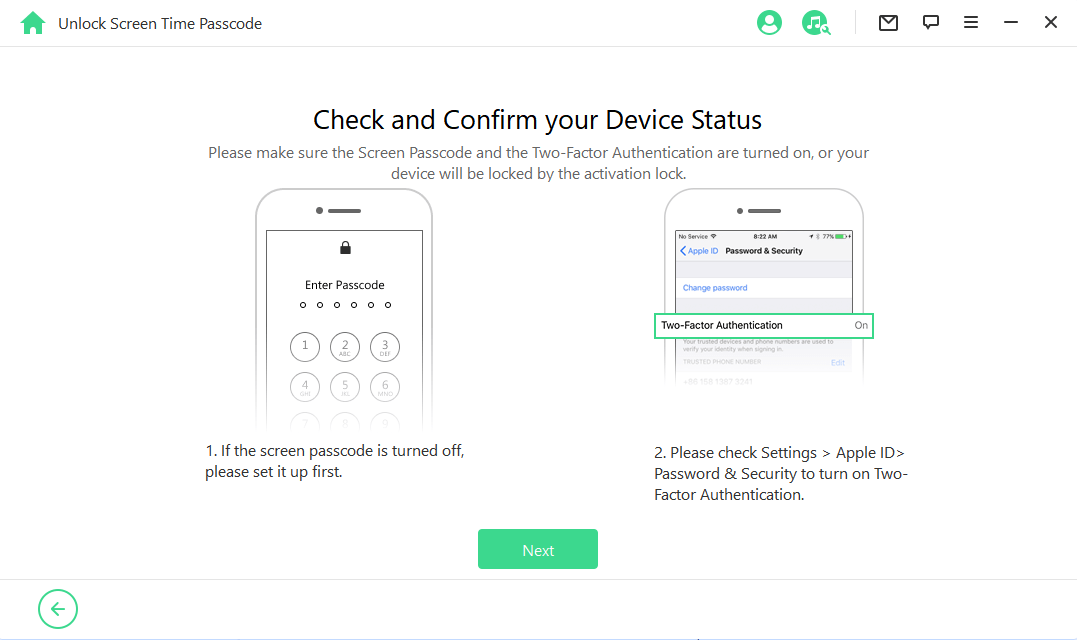
- If the Find My iPhone feature is turned off on your device, then iDelock volition begin unlocking the Screen Time immediately. If the Ii-Factor Authentication is enabled, then you need to cheque the device condition and click on Side by side.
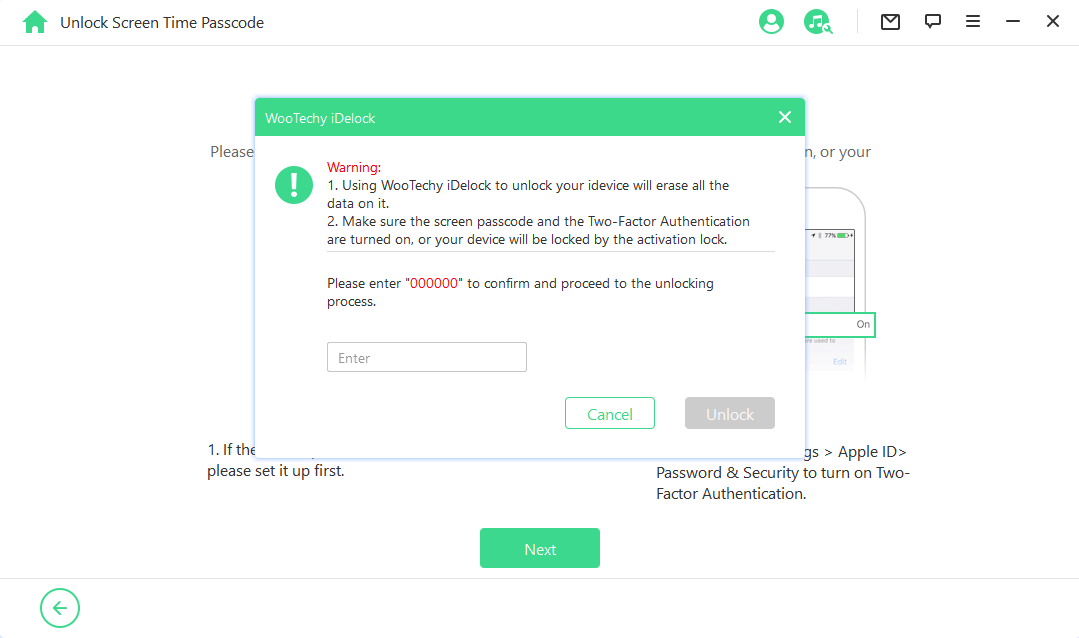
- Enter 000000 on the next interface, then click on Unlock to ostend your action.
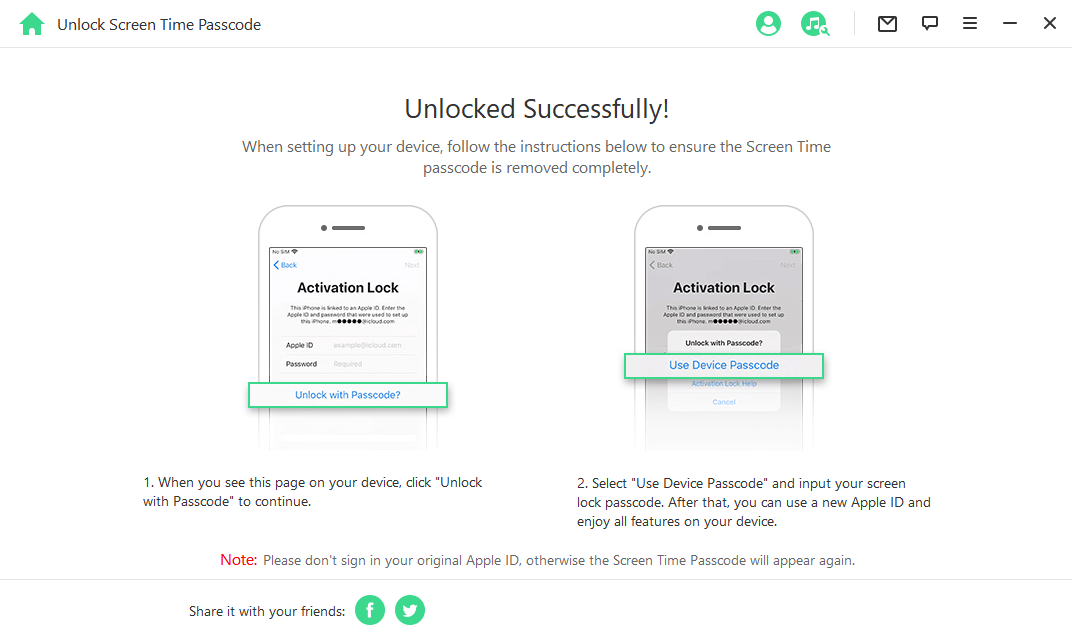
- Wait patiently and iDelock will notify you once it successfully removes the lock.
Part two. Hack Screen Time on iPhone past Changing the Time
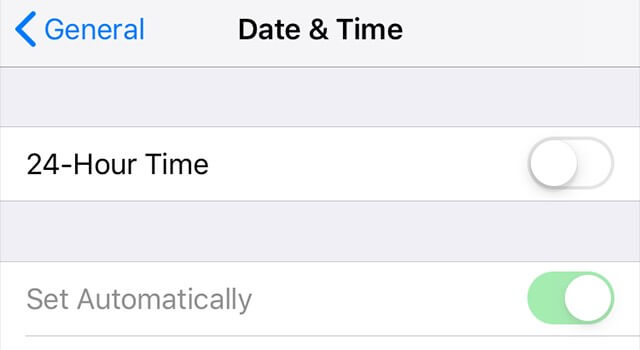
Changing the fourth dimension is ane of the easiest methods with which you lot tin hack Screen Time without the passcode on iPhone. To practise this, get to the Setting > General > Date & Time. After that, plow off the selection to automatically update the time and then change the present date and time manually to when y'all want.
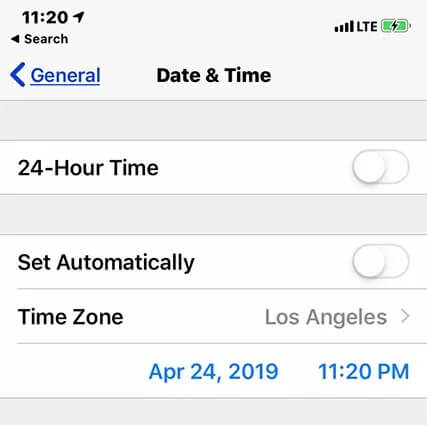
How do parents preclude kids from taking this activeness? This option tin also be disabled to close the artery for the hack past going to Settings > Full general > Appointment & Time, and then turn on the selection to Set Automatically.
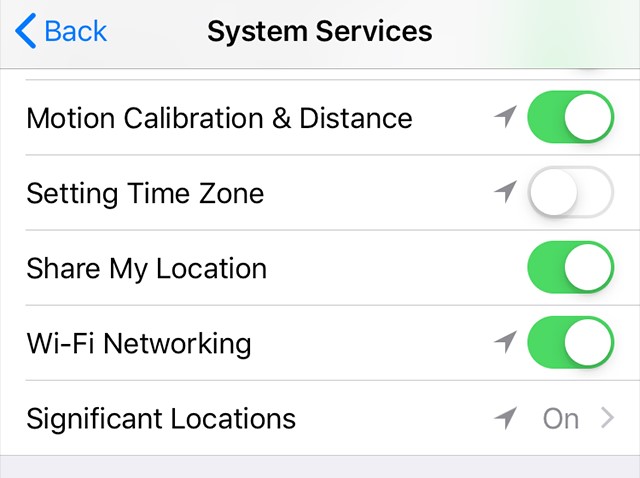
Then open Settings > Screen Time > Content & Privacy Restrictions > Location Services > Organisation Services, and turn off the pick for Setting Time Zone.
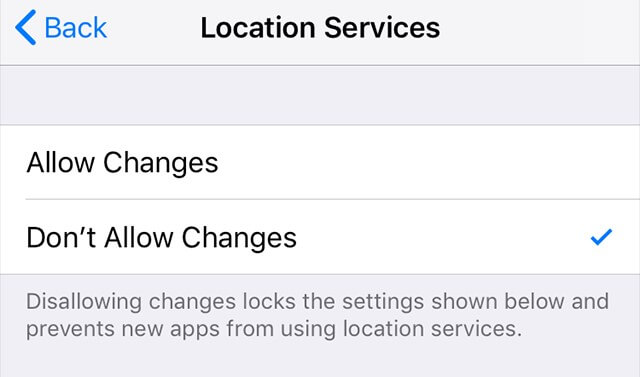
Go back to the Location Services Screen and tick Don't Allow Changes.
In this way, you can get rid of screen time restrictions on iPhone or iPad. Also you will accept the measures to foreclose.
Part 3. Uninstall and Reinstall Apps to Hack Screen Time Limits on Apps
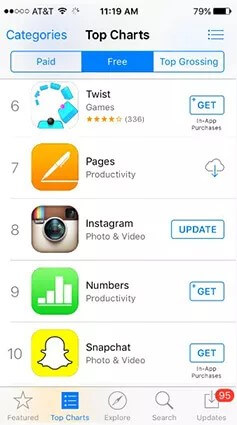
Uninstalling an app erases its Screen Time setting. And when you install that app again, you will exist able to become one more chance for Screen Time, thus yous could hack screen time limits on specific application. To uninstall an app, concord it for some seconds till it starts vibrating and a cross appears on top of it.
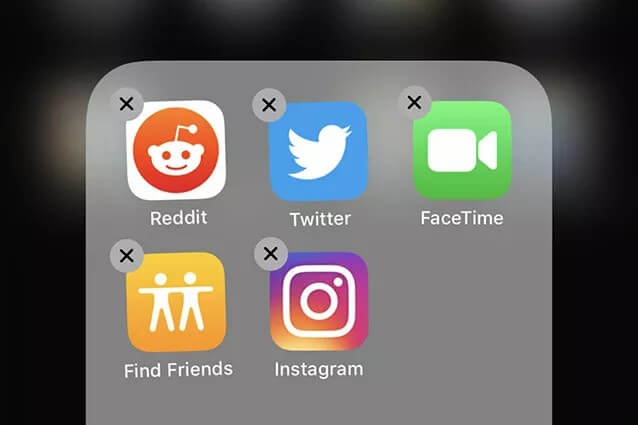
And so tap the x icon and confirm the deletion of the app. Then go to the App Store to reinstall it.
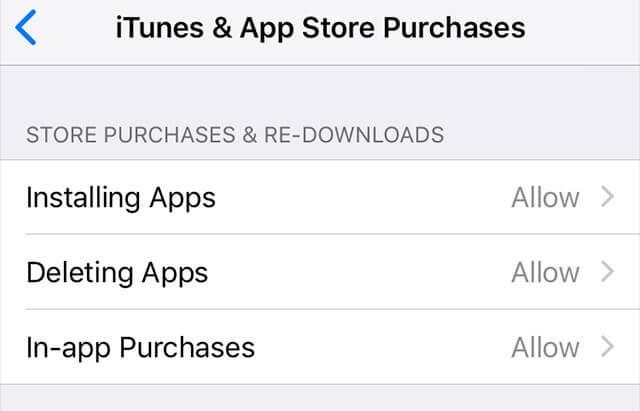
You lot can also prevent the uninstallation and installation of apps on your iPhone. Go to Settings > Screen Time > Content & Privacy Restrictions > Location Services > System Services, and and then turn off all the three options that will announced on the screen.
Part 4. Watch YouTube on iMessage
This is a method that tin can allow you to spotter YouTube videos without screen time restrictions via iMessage. When you open iMessage, you will observe the Applets icon on the keyboard screen that was installed on the device at the fourth dimension the app was installed. With the applet, you can share YouTube links and watch the videos inside the iMessage app even though the app is restricted.

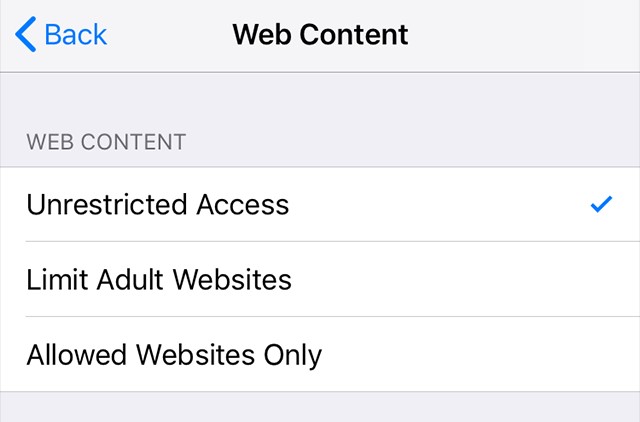
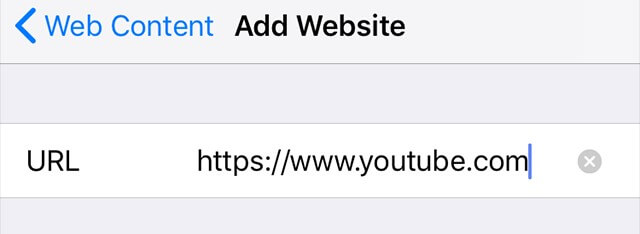
You tin can set up this hack past blocking the YouTube website in Screen Time as well. Go to Settings > Screen Fourth dimension > Content & Privacy Restrictions > Content Restrictions > Web Content, and and so go to Limit Adult Websites.
Choose Never Allow, and tap on Add together Website.
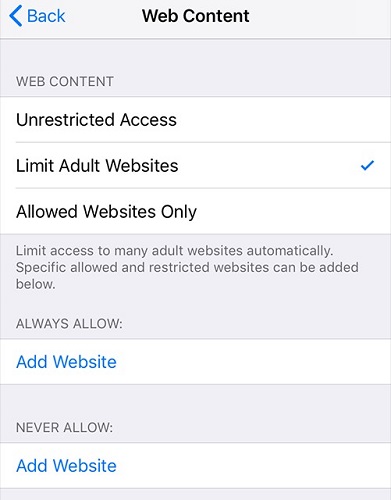
And then type the YouTube URL in the space provide and YouTube will be blocked on your iPhone.
Part 5. Use Siri to Send Letters
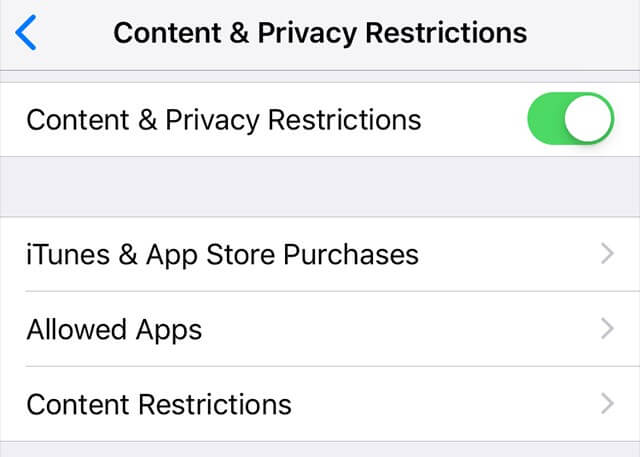
If sending of letters is disabled on your iPhone due to the Screen Time limit, yous can nonetheless exercise that with the help of Siri. Just inquire Siri to send text bulletin to the one you desire, which won't be restricted by Screen Fourth dimension. Similarly, this can besides exist curbed by disabling Siri. To disable Siri, go to Settings > Screen Time > Content & Privacy Restrictions > Allowed Apps. So, toggle to disable Siri.
Part 6. Hack Screen Time on iPhone by Recording Video
Making use of the screen recording feature is one manner that tin help you hack the Screen Time passcode on iPhone. Then screen recording feature enables users to record all the screen activities and salve them in a video. Y'all tin can plow this feature on directly from the notifications panel.
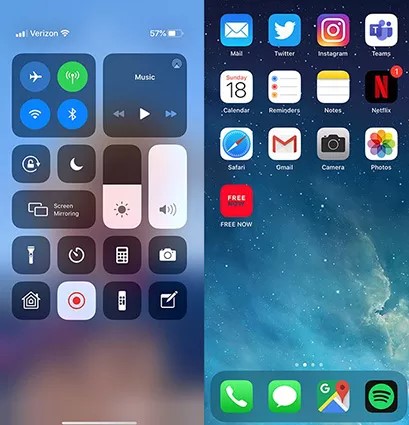
So if yous enable this characteristic, when the passcode is typed in, it will be recorded and you tin and then get it from the saved video.
This feature tin, however, be disallowed to prevent the hack. To disallow it, become to Settings > Screen Time > Content & Privacy Restrictions > Content Restrictions > Screen Recording.
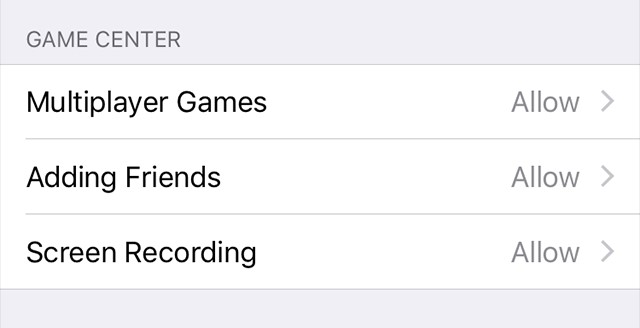
Then, tap on Don't Allow on the next screen that you are taken to.
Part vii. Remove Screen Time by Factory Reset
Manufactory resetting an iPhone is 1 of the effective ways to hack and bypass Screen Time on iPhone. To use this method, become to Settings > General > Reset > Erase All Content & Settings.
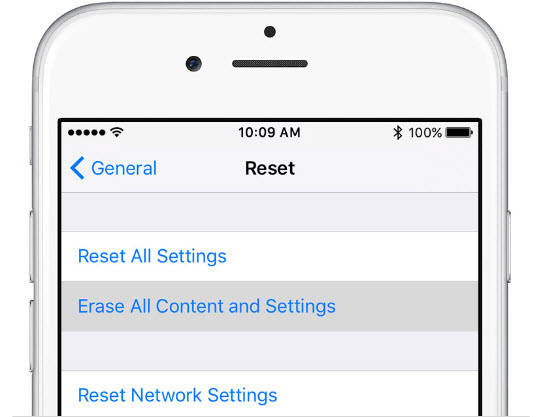
Enter your passcode for confirmation and wait for the process to complete. When your iPhone is done resetting, remember to not transfer apps and information, then in that location will no longer be a screen fourth dimension limit on it.
Decision
This article has not only shown you lot ways to hack Screen Fourth dimension on iPhone simply also ways to foreclose the passcode from being hacked in the case of parents who desire to restrict some apps from their kids or give them express phone time. To featherbed Screen Time passcode, The WooTechy iDelock is the most efficient method as information technology only requires you to click several times and you can easily get rid of screen time without passcode. At present it supports the latest iOS 16. Just download and give information technology a endeavour!
Download Now Download Now
Source: https://www.wootechy.com/unlock-iphone/how-to-hack-screen-time/
0 Response to "How To Hack Screen Time Ios 15"
Post a Comment